
Deed of ownership · v1.0
What it does

Everything Ownus does.
One page.

Nine things. Built into one app. No tiers, no add-ons, no "unlock with Pro." The full feature list, below.
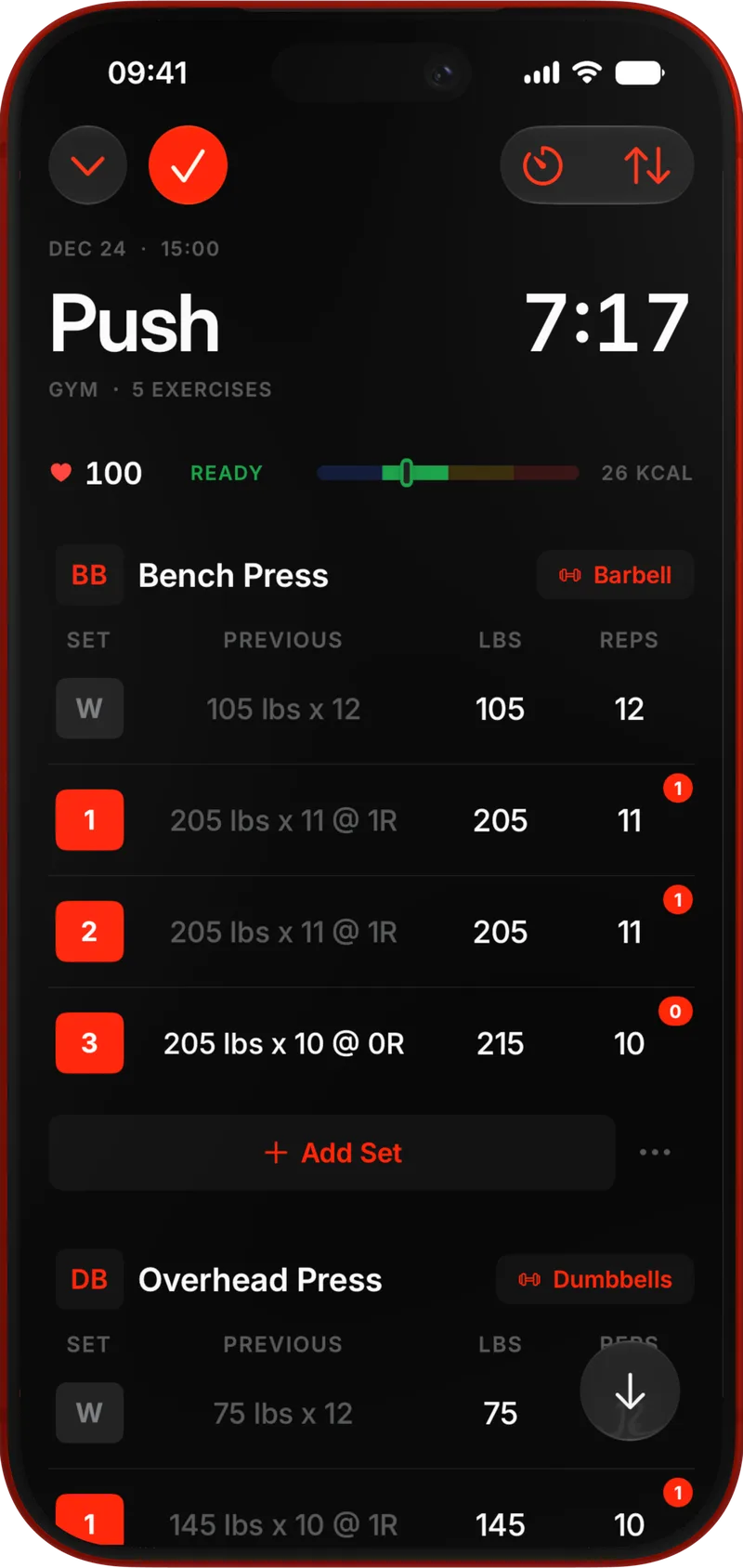
An Ownus session in progress — logging weight and reps set by set, with the live heart-rate strip up top
01 / 09 — Log

Log every rep
like the one that counts.

The foundation. Weight, reps, RPE, and an optional note. Quick re-entry on the next set of the same lift. Tabular figures everywhere a number lives.
  • Weight, reps, RPE, per-set notes.
  • Quick re-entry: same numbers, next set.
  • kg, lb, and bodyweight in the same log.
  • Tabular numerals — columns line up.
kg · lb · BW RPE 1 – 10 Per-set notes
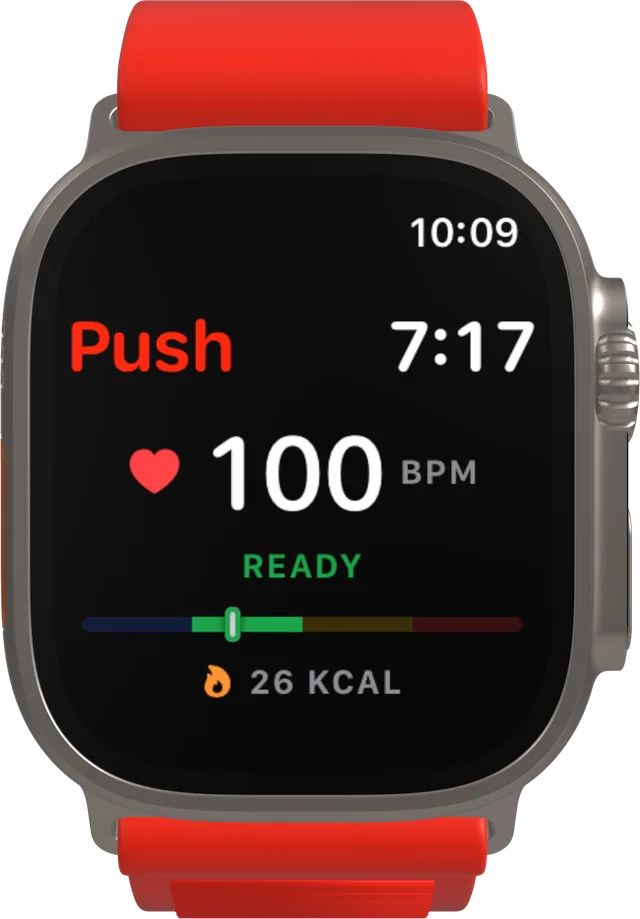
An Ownus session with the live heart-rate strip — BPM, zone bar, calories, and a green READY above the set log The Ownus Apple Watch app mirroring the same session — timer, live BPM, zone bar, and calories
02 / 09 — Live HR

Live heart rate,
beside every set.

Wear your Apple Watch and the session screen picks up a pulse: live BPM, your current zone, calories so far, and a green READY once you've recovered enough to lift again. The same numbers ride on your wrist, so the phone can stay on the bench.
  • Live BPM from the watch, right above the set log.
  • A zone bar shows where the effort sits.
  • READY cue when your heart rate has come back down.
  • Calories tick up as the session runs.
  • Watch app: timer, BPM, zone, and kcal on the wrist.
Apple Watch Live BPM Zones READY cue
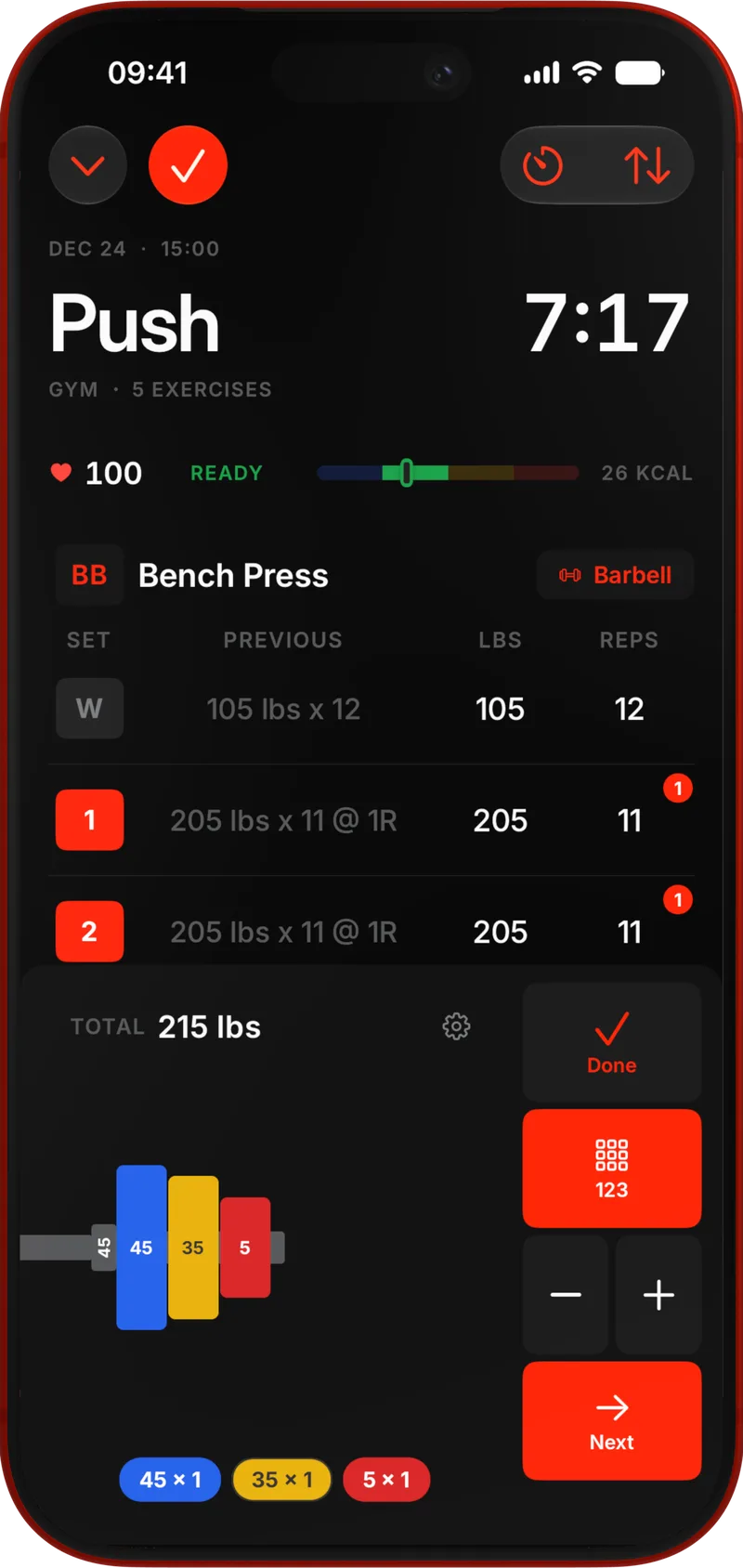
Ownus plate calculator open mid-session — the plates to load on the bar, with live heart rate up top
03 / 09 — Plate math

Tell it the bar.
It tells you the plates.

Configured per gym. If your basement only has fives and twenty-fives, the calculator only uses fives and twenty-fives. The math respects your equipment.
  • Bar weight per location.
  • Custom plate inventory (yes, even the bumpers).
  • kg ↔ lb conversion that doesn't lie about rounding.
kg · lb Per-gym No-cloud
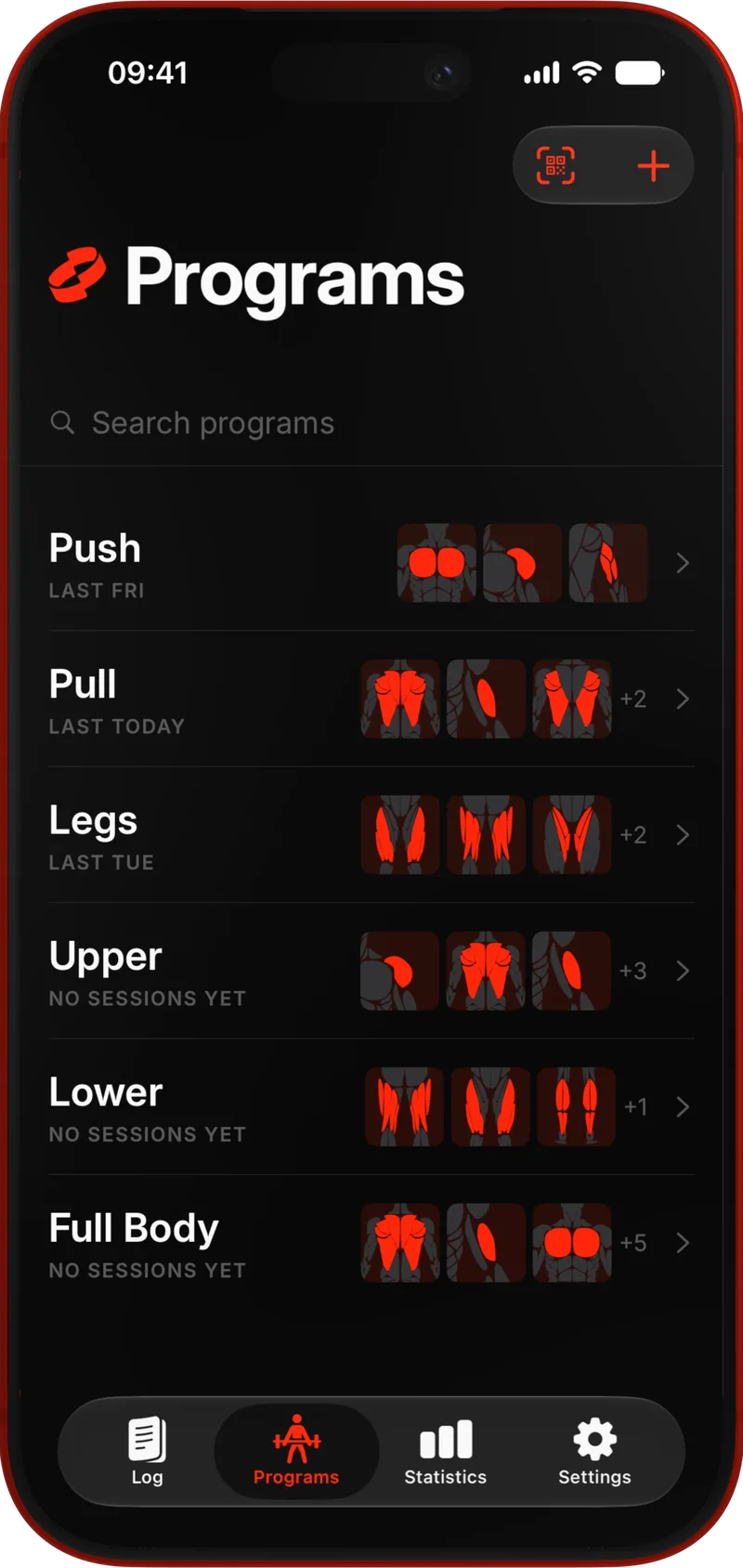
Ownus programs list — your library of built programs, each with its muscle map Ownus program builder — a template with set-count insights and live volume-by-muscle bars
04 / 09 — Programs

Programs you build,
not weeks you fill.

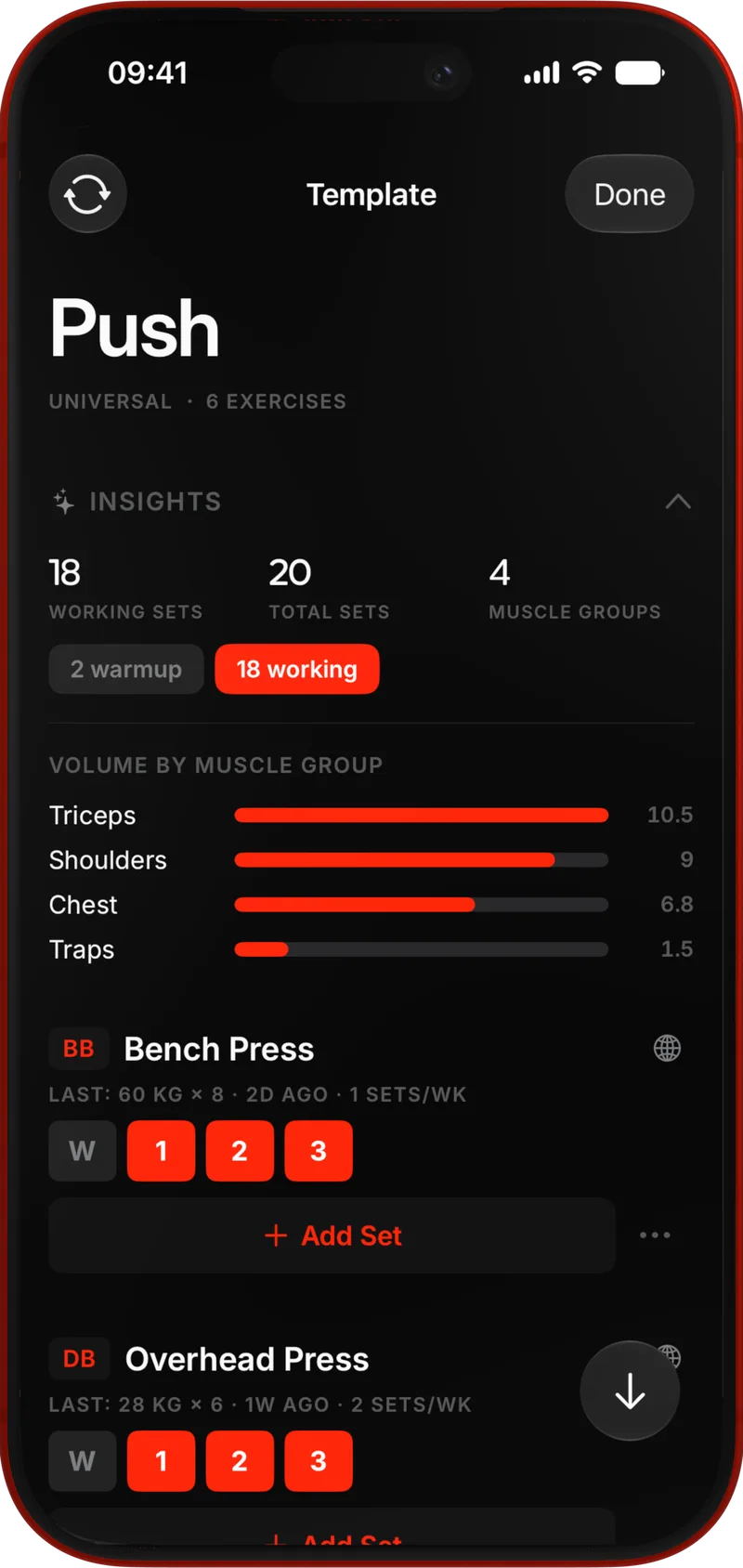
Build a template once. Watch the volume-per-muscle bar update as you add lifts. Configure the same program differently for each gym you use — same plan, different equipment.
  • Live total volume by muscle group, as you build.
  • Same template, per-location exercise swaps.
  • Templates: PPL, Upper/Lower, your own.
  • No assigned weeks — you decide when each session runs.
Real-time volume Per-location ∞ templates
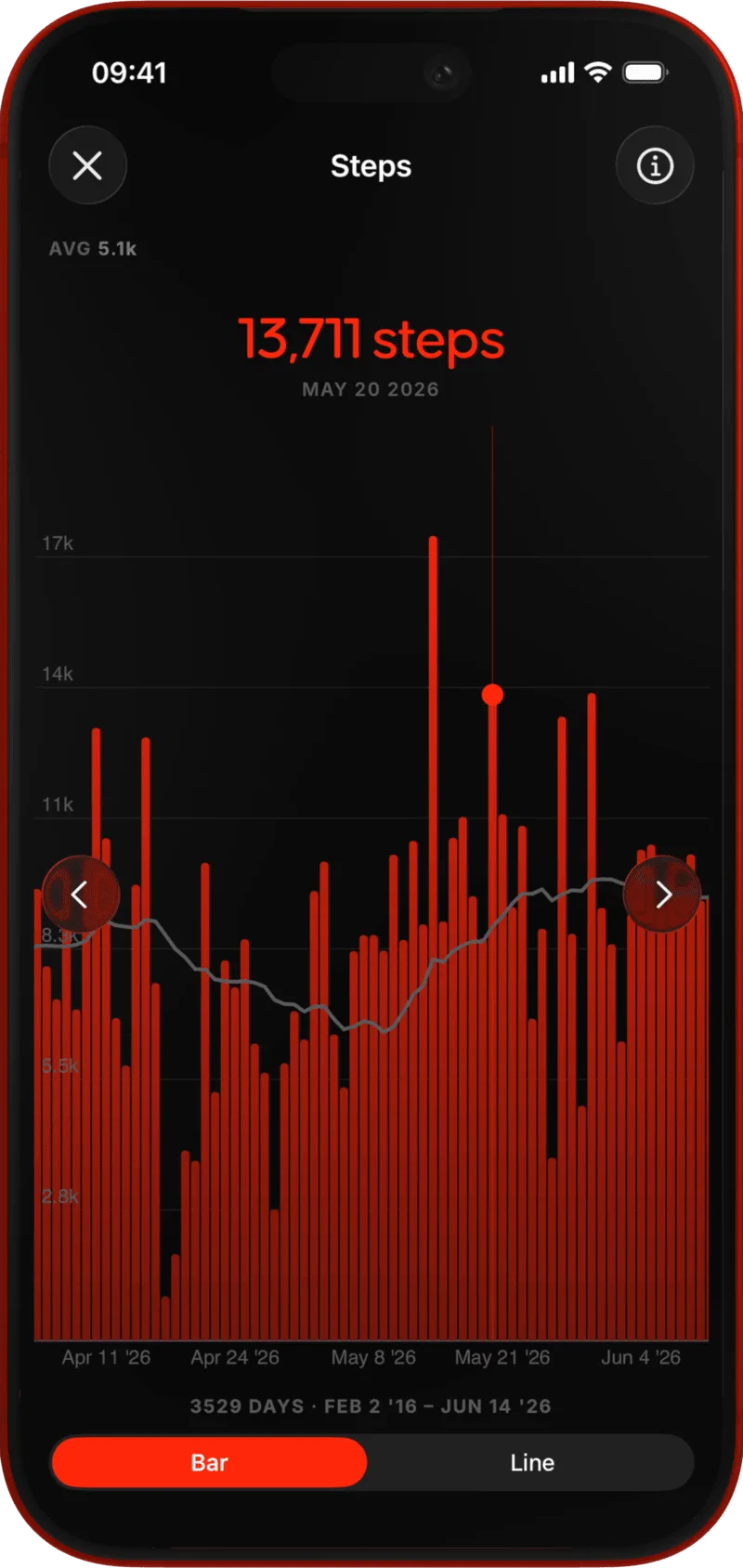
Ownus statistics — a full-screen, scrollable chart
05 / 09 — Statistics

Stats that actually
tell you something.

Auto PR tracking. Fatigue trajectories per muscle group. Readiness scores from accumulated load and rest. Full-screen charts you can scroll from week to year.

  • Automatic PR detection — 1RM, 3RM, 5RM, e1RM.
  • Fatigue trajectories per muscle group, over time.
  • Readiness score before each session.
  • Full-screen, zoomable charts. Week → year.
  • Volume · tonnage · intensity views side-by-side.
Auto PRs Fatigue Readiness ∞ history
06 / 09 — Yours

Make it look
like your app.

Change the accent color. Pin a photo to a program or a gym. Hide the stats and charts you don’t use. The home screen is configured, not handed down by us.
  • Pick your accent — red is just the default.
  • Cover image on every program and location.
  • Hide any stat, chart, or dashboard card.
  • Reorder the home screen freely.
Accent Covers Hide / reorder
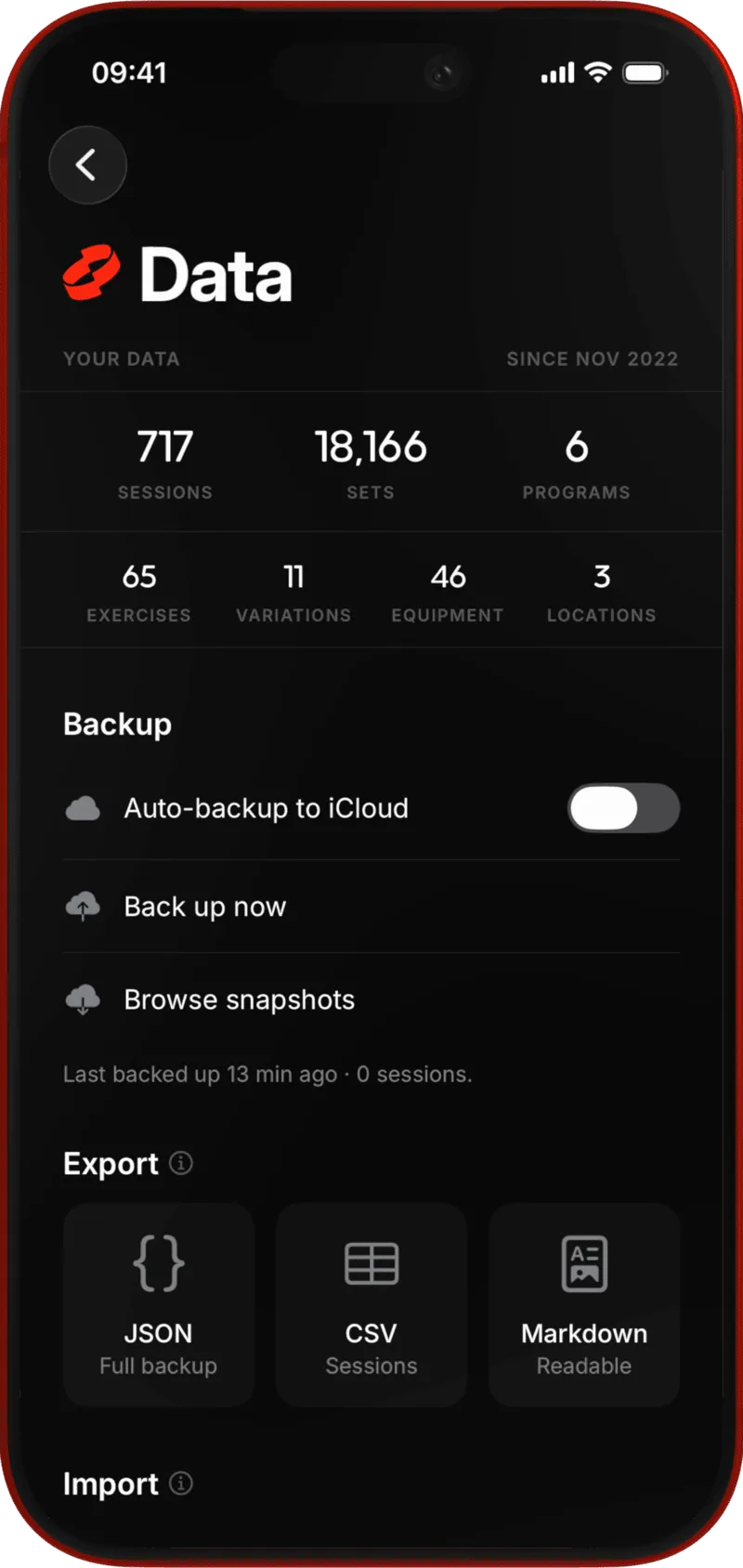
Ownus data screen — local backup and export to CSV, JSON, and Markdown
07 / 09 — Exits

Software you can't
leave isn't yours.

Take your data out whenever you want. Open it in a spreadsheet. Feed it to a script. Apple Health reads and writes through both directions. You are a citizen of your data, not an island.
  • CSV, JSON, and Markdown export, full history.
  • Apple Health: workouts and bodyweight, both ways.
  • Local backup to Files / iCloud Drive — your choice.
  • Delete the app and the data goes with it. No server copy.
.csv · .json · .md HealthKit Files / iCloud
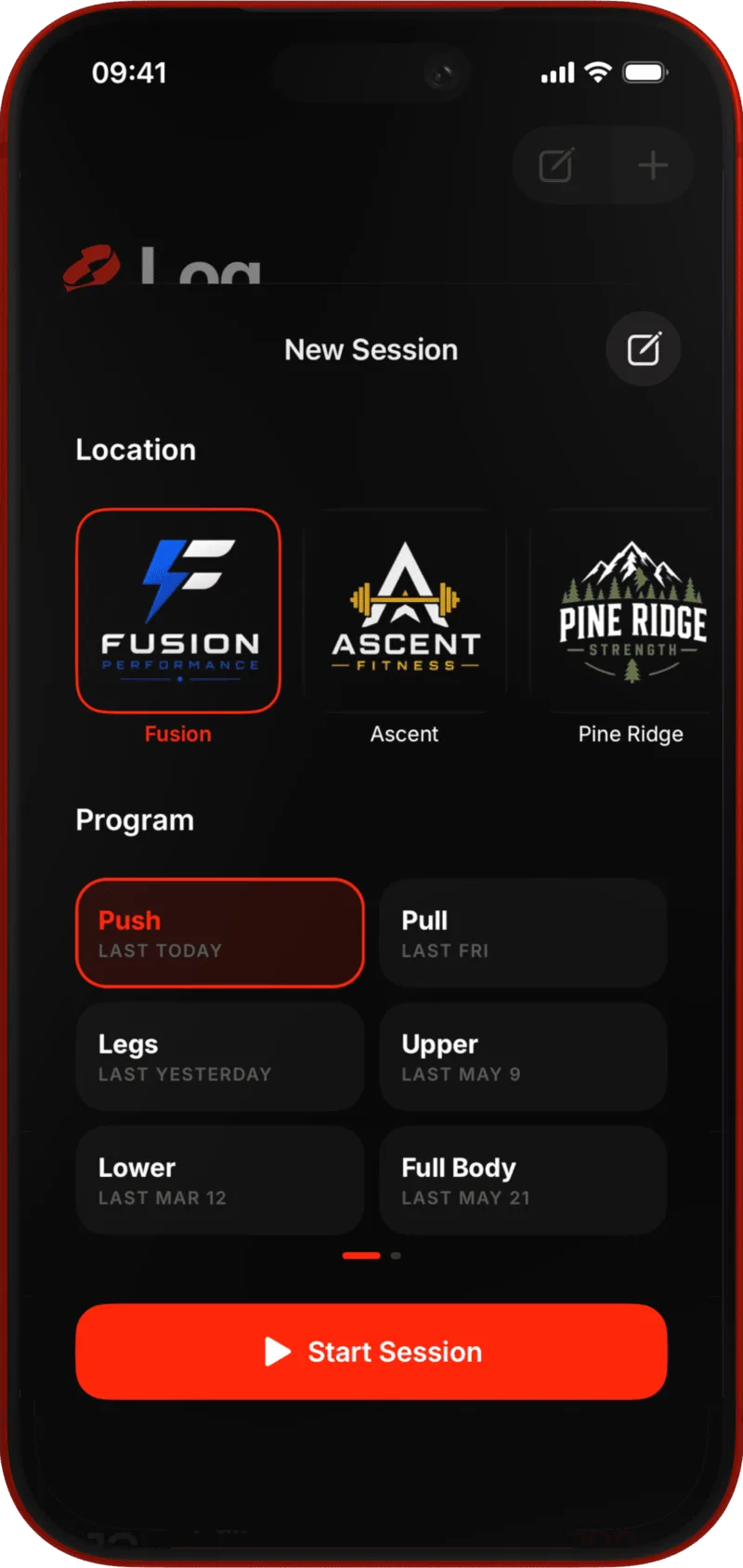
Starting a session — pick the gym, then the program
08 / 09 — Anywhere

Basement gym. Plane. Woods.
Still works.

The work happens on-device. No spinner waiting on a server to redraw your chart. No "connection required" wall when you're trying to log a set in a Faraday-cage parking garage.
  • Zero cloud. Zero sync queue.
  • Unlimited gym locations, each with its own setup.
  • Per-location equipment, plates, and rest defaults.
  • Switch gyms in a tap; Ownus picks up where you are.
Zero cloud ∞ locations On-device
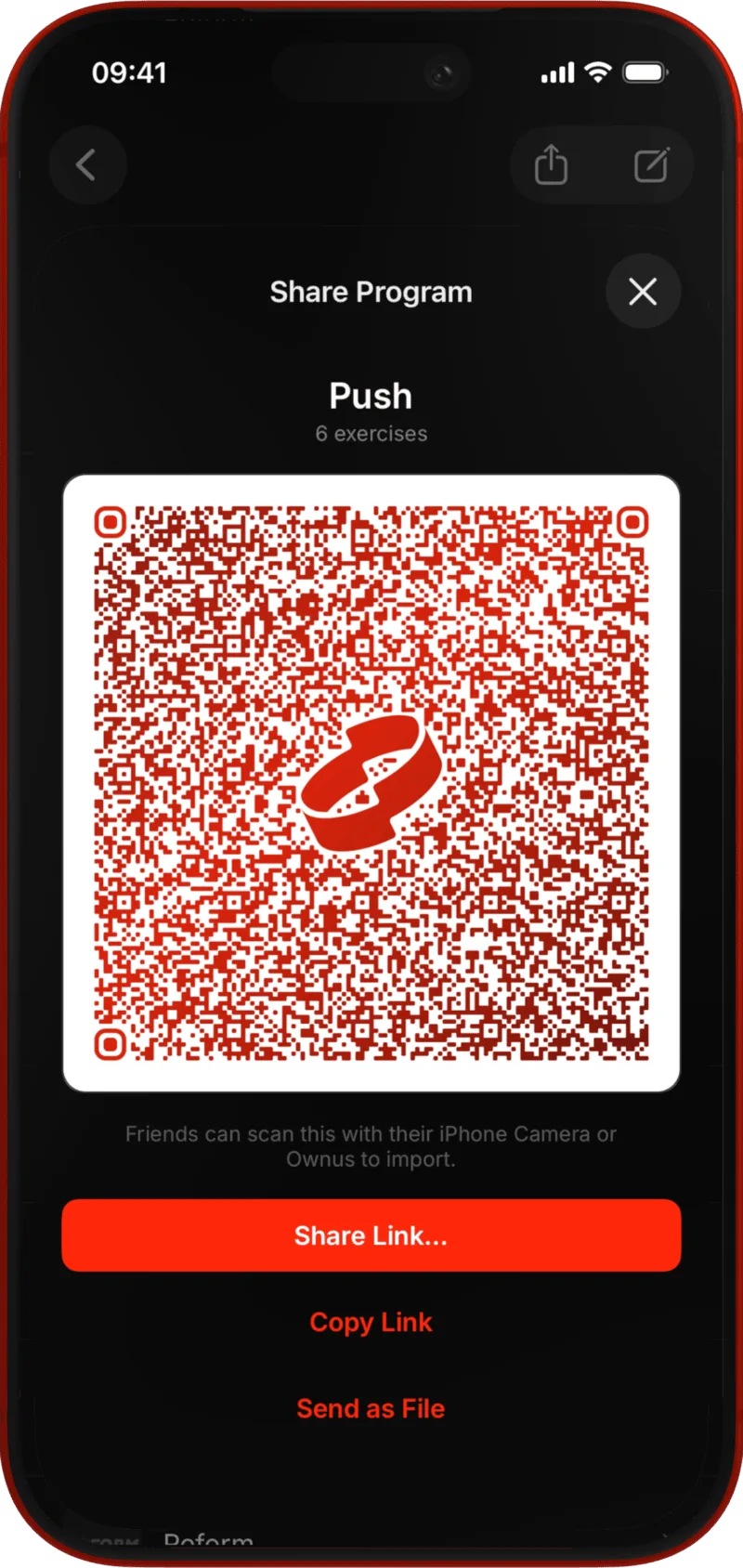
Sharing an Ownus program as a link, via QR code
09 / 09 — Share

Send a program
to your training partner.

The program you built last winter — share it with the new lifter at your gym. The gym setup you spent twenty minutes configuring — send it to your partner. No accounts, no feed, no public profile. Just a link.

  • Share any program as a link.
  • Share any location (plates, bars, equipment).
  • Recipient opens in Ownus — stays on their device.
  • No accounts. No feed. No follow buttons.
Share link Programs Locations No accounts
Honest comparison

Same questions.
Four answers.

Strong, Hevy, and Fitbod are the apps people compare Ownus to. Here's how each one handles pricing, features, and data.

  Ownus Strong Hevy Fitbod
One-time priceFounder price first, regular price after From $29.99 $99.99 $74.99 — none —
Monthly subscriptionIf you'd rather rent — none — $4.99 / mo $2.99 / mo $15.99 / mo
Cost after 3 yearsStill one payment $29.99 to $39.99 ~$180 ~$108 ~$576
Multi-gym, per-location platesDifferent equipment, same program Yes No No No
Share programs & gymsSend a setup to a friend Both, no account Programs only Routines, w/ account No
Fatigue & readiness scoresBeyond a list of PRs Built-in No No Recovery model
Custom accent, covers, hidden statsMake the app look like yours All three Theme only Theme only No
Works fully offlineNo signal, no problem Yes Yes Yes Needs sync
Export formatsWhat you can take out, free CSV · JSON · MD CSV only CSV only CSV only
Data lives on-deviceStored on your device first Yes Cloud Cloud Cloud
Founder pricing is $29.99 for the first 60 days after launch, then $39.99 once. Spot something off? hello@ownus.app.
Take the keys Free for 10 sessions

Try them all.
Then decide.

Ten sessions. Every feature on this page. No card. Keep it for $29.99 in the first 60 days after launch, then $39.99 once. If you don't, delete the app and we go our separate ways.

Download Ownus